
Pet Portrait Photo Guide
Choose a pet photo that turns into better custom art
The photo you upload decides how recognizable the portrait feels. Start with a close, clear phone photo in natural light so the AI preview and final print can keep the expression, coat color, and small details you love.
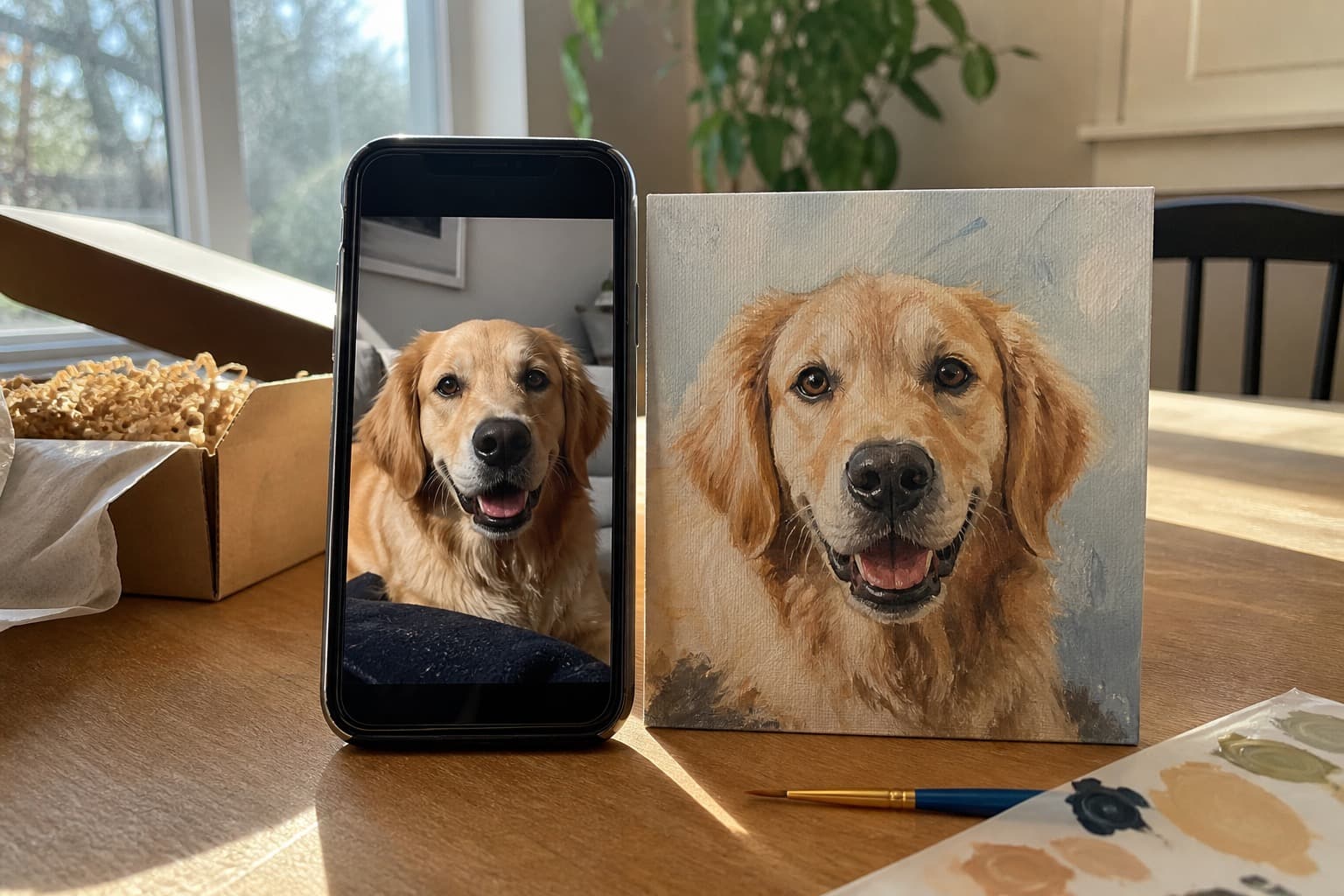
Close headshot
Your pet should fill most of the frame so the eyes, markings, and fur texture stay clear.
Soft natural light
Window light or open shade keeps colors accurate without hiding details in harsh shadows.
Eye-level angle
Shoot from your pet's height to avoid a distorted head, nose, or body shape.
Sharp original file
Skip screenshots, heavy filters, and blurry crops. A clean phone photo is usually enough.
Good pet portrait photos are close, bright, and honest
For the best custom pet portrait, choose a photo where your pet's head fills most of the frame. Full-body photos, dark rooms, heavy filters, and cropped screenshots usually lose the features that make your pet look like themselves.
If you are unsure, upload the strongest option first and judge the preview. You can always try a second photo before checkout.
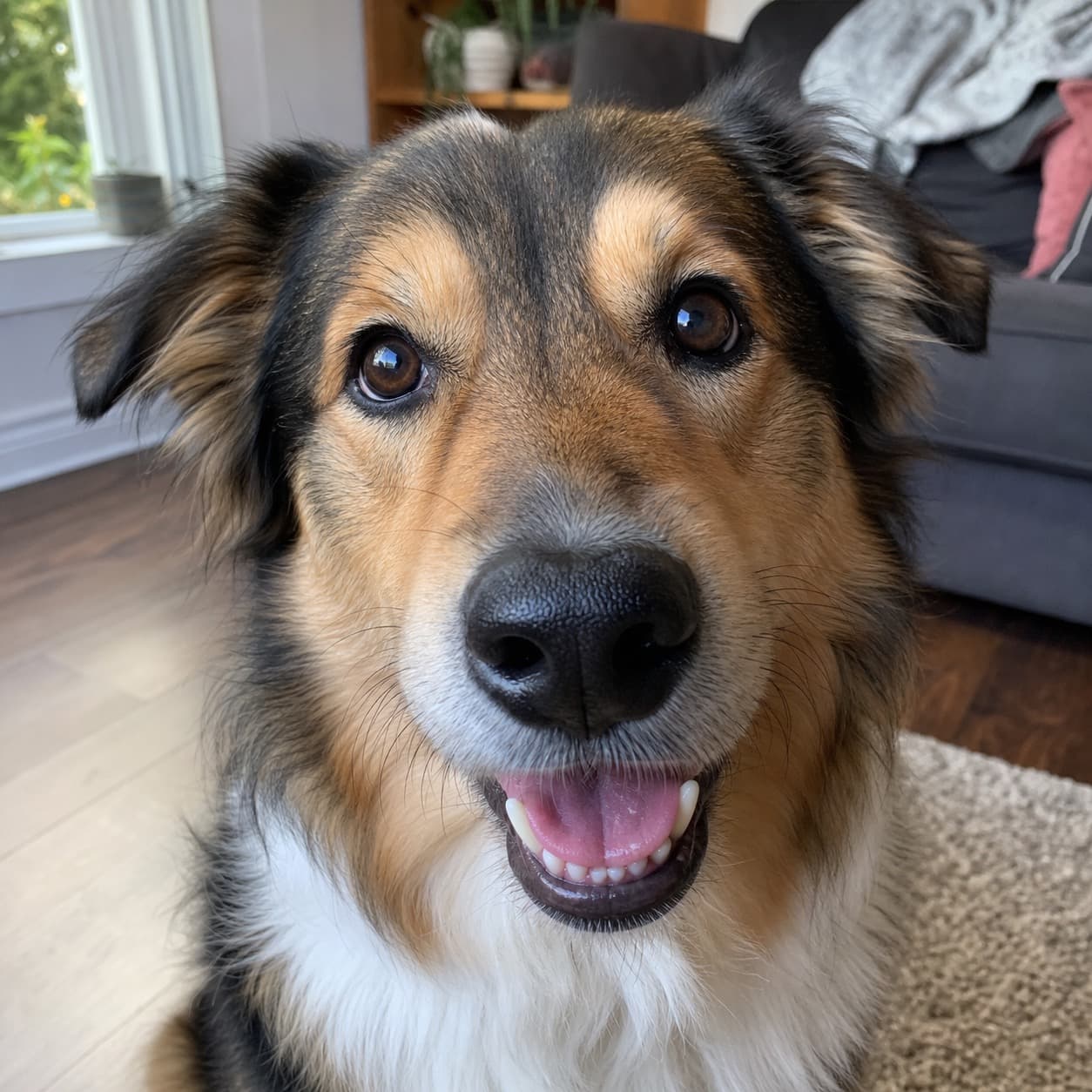
Close-up headshot
A tight headshot gives the portrait enough detail to preserve expression, eye color, nose shape, and fur texture.
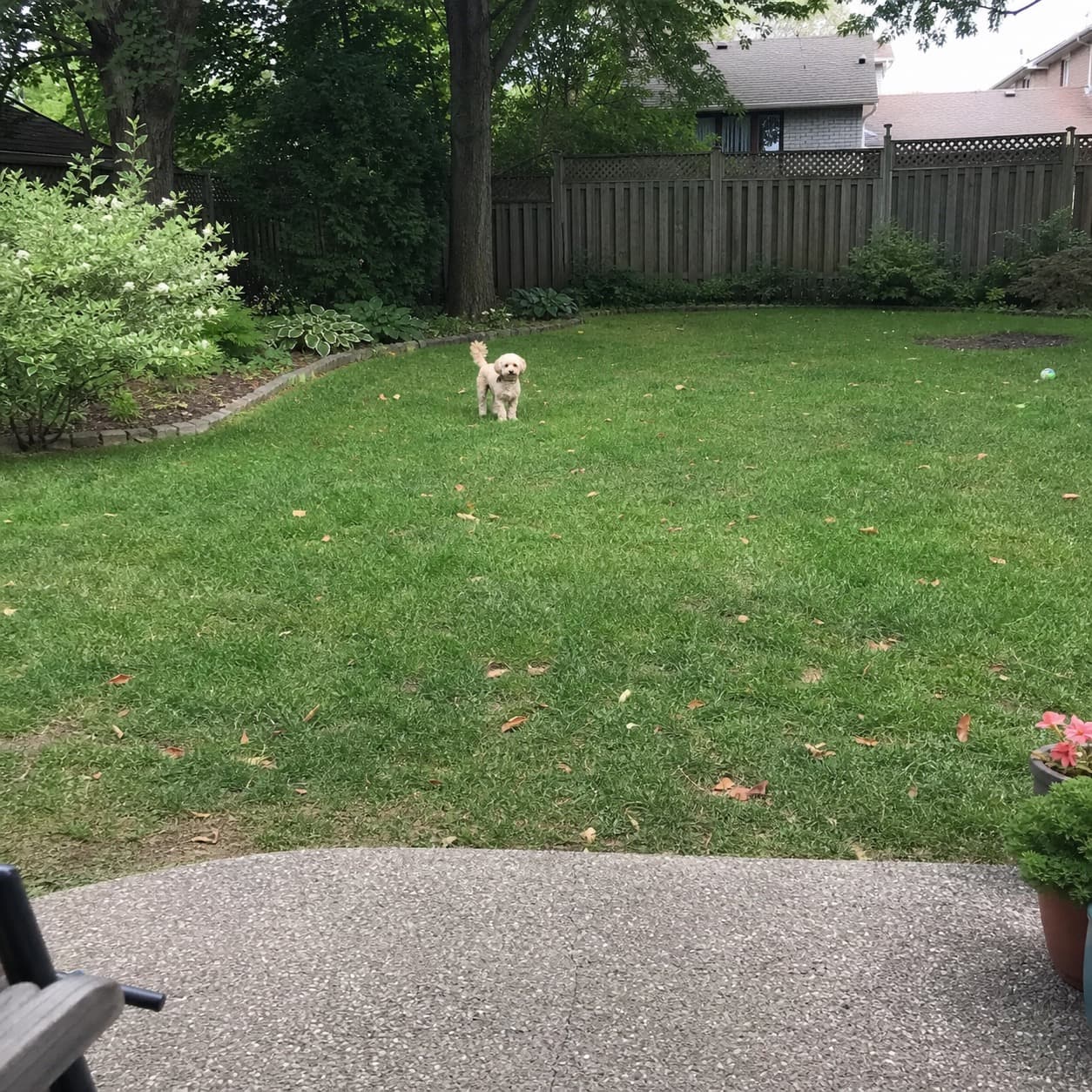
Distant full-body photo
When the face is small in the frame, thick brush strokes lose the details that make the finished artwork recognizable.
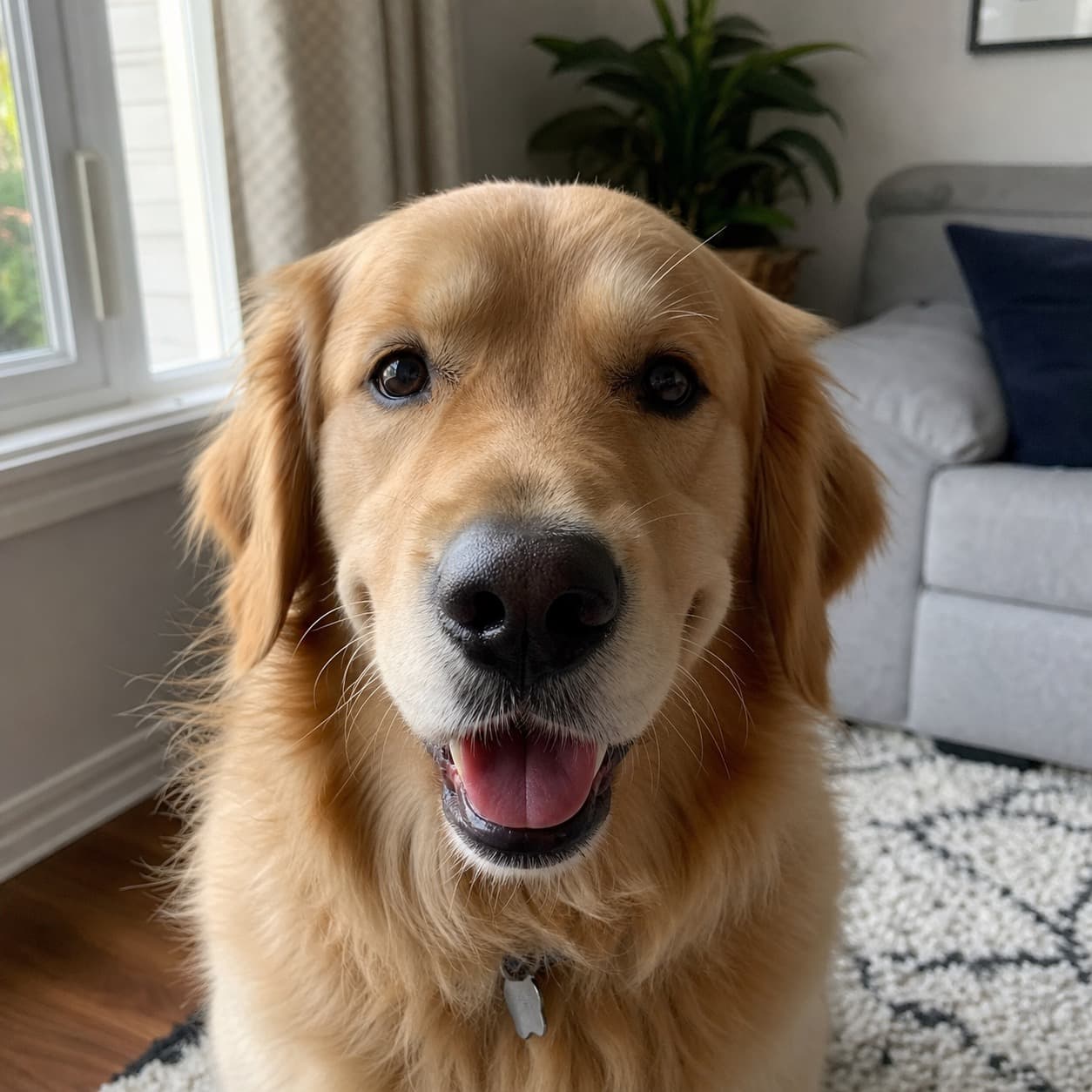
Natural window light
Soft, even light keeps the real coat color visible and makes the AI preview easier to judge before ordering.
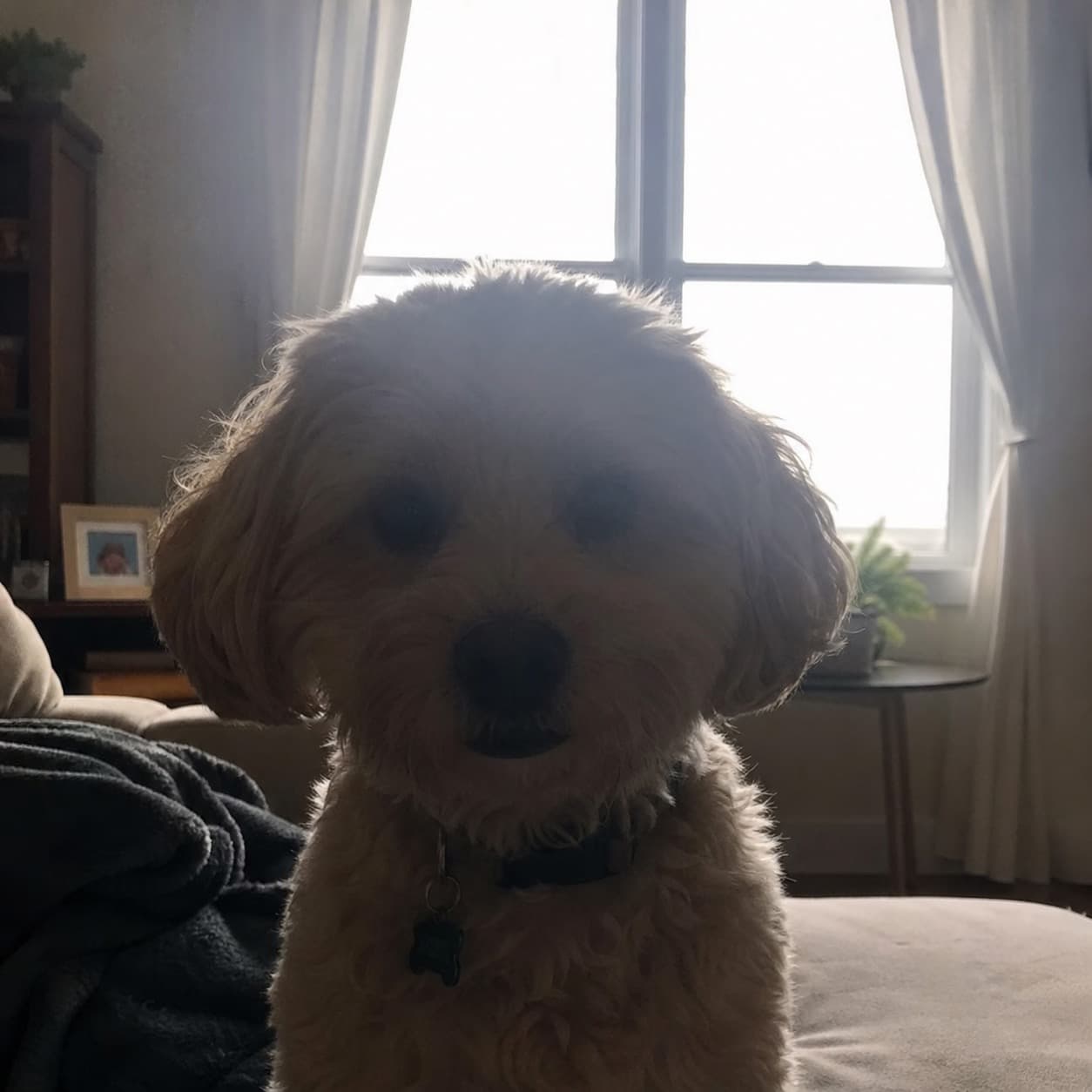
Strong backlight
Bright windows behind your pet can turn the face into a silhouette, hiding the features the portrait needs.
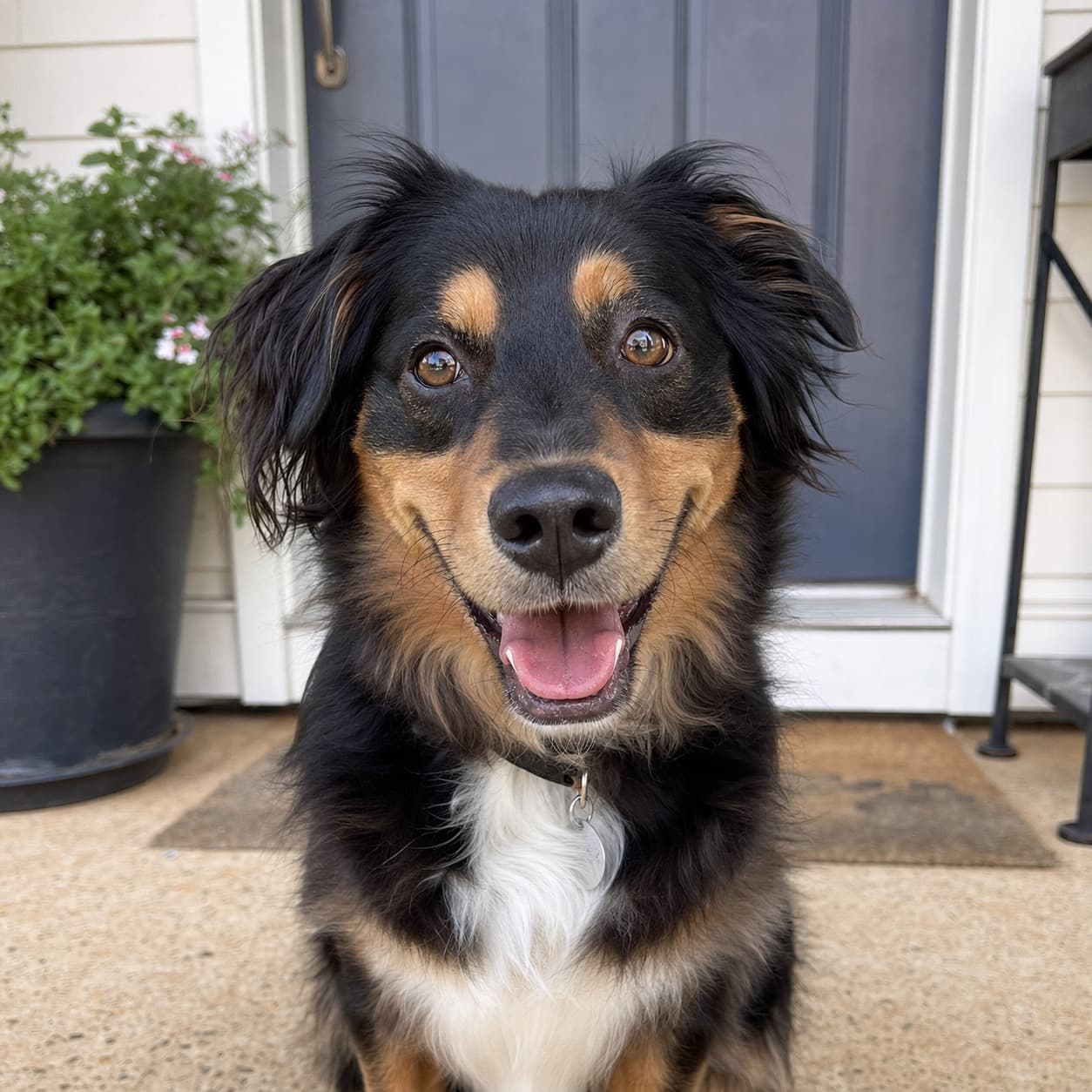
Eye level keeps the portrait natural
Photograph your pet from their height whenever possible. An eye-level photo keeps the face in proportion and creates a more intimate portrait than an extreme angle from above or below.
- Keep both eyes visible and in focus.
- Move closer instead of cropping a distant photo later.
- Use burst mode if your pet moves quickly.
- Pick a simple background that contrasts with the coat color.
Turn your pet photo into artwork
Once your photo is ready, upload it to create a preview, compare a few styles, and choose the version that feels most like your pet.
Upload your best photo
Start with the sharpest close-up you have. You can try another photo if the preview feels off.
Compare portrait styles
Preview watercolor, oil, surreal, and other styles until one feels like your pet.
Approve the artwork direction
After checkout, the selected preview is prepared for print so the final piece keeps the pose and expression you chose.
Try a specific painting direction
Watercolor is softer and colorful, oil-style portraits have richer brushwork, and surreal portraits create a more dramatic painting.
Common questions
These are the photo questions that usually decide whether a pet portrait preview looks sharp enough to print.
Do I need a professional camera?
No. Most modern smartphones are perfect for a custom pet portrait if the photo is sharp, well lit, close up, and taken around eye level.
What if I only have an older or lower-quality photo?
Try the best photo you have and review the live preview. If it looks soft, noisy, or unclear, take a new close-up photo before ordering a print.
Can I upload a collage or multiple pets in one image?
A single clear headshot works best. For multiple pets, create separate previews first so each animal has enough face detail.
Will the final print look exactly like the AI preview?
The finished print stays very close to your approved preview, with cleaner details and better print quality for the final artwork.
Ready to test your pet photo?
Upload a close, clear photo first. Then compare portrait styles until the preview captures your pet's expression.